Pull-ups · Push-ups · Dips · Squats · Core

Log the set.
Watch it land.

A bodyweight training log for iPhone and Apple Watch. Five movements, one ring for the day, and a flame your first set lights.

Try a set Coming soon to the App Store

iPhone · Apple Watch · iOS 16 or later

Act I · One day

A training day,
start to finish.

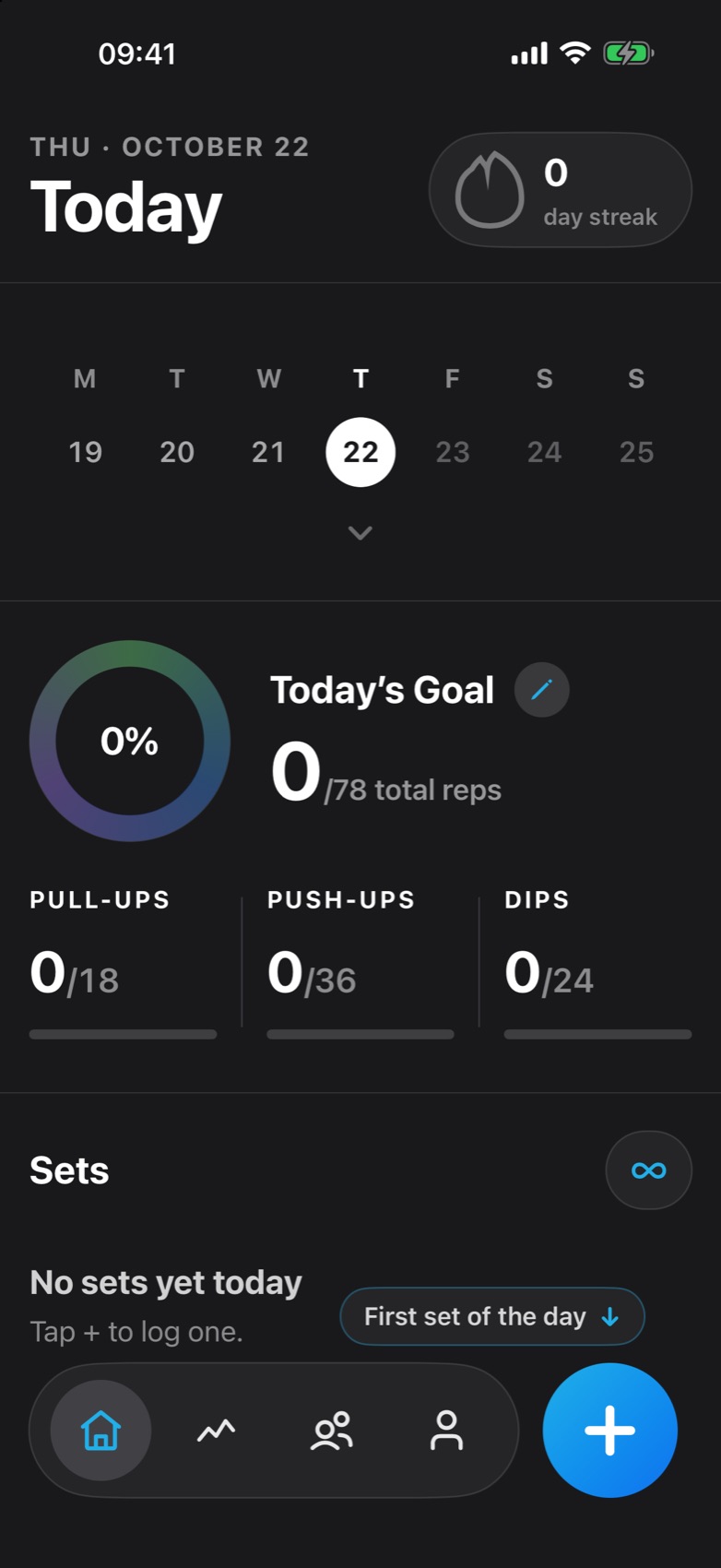
Before the set, the set, and what happens after it. The screens are the real app, and one of them works.

0

Sample day. Your set is added to it.

Daily kickoff

Your day starts out of the Dynamic Island.

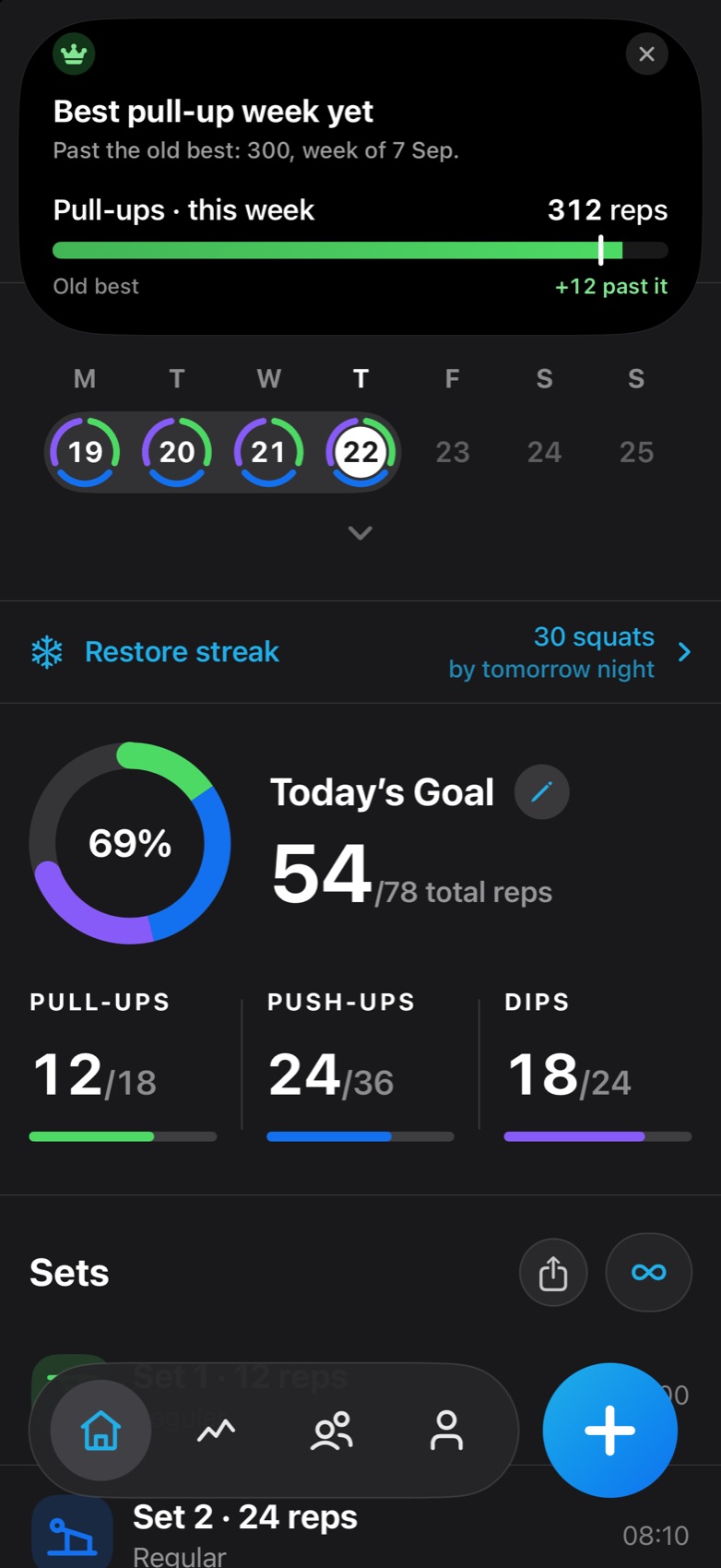
The first time you open Skiplegs each day: one line built from your own numbers, and a Let’s go that opens the keypad. Never the same line two days running. Never a guilt trip.

  • Day 204 · Keep the flame alive.
  • Yesterday: 226 reps · Beat it?
  • New week · Clean slate. First set?
  • 3 friends trained today · Join them?
  • Rest day done · Fresh legs. First set?
Reminders

One gentle nudge. Never after you’ve trained.

Off until you turn it on. At most one a day, at the hour you pick, and gone the moment you log a set.

Add Set

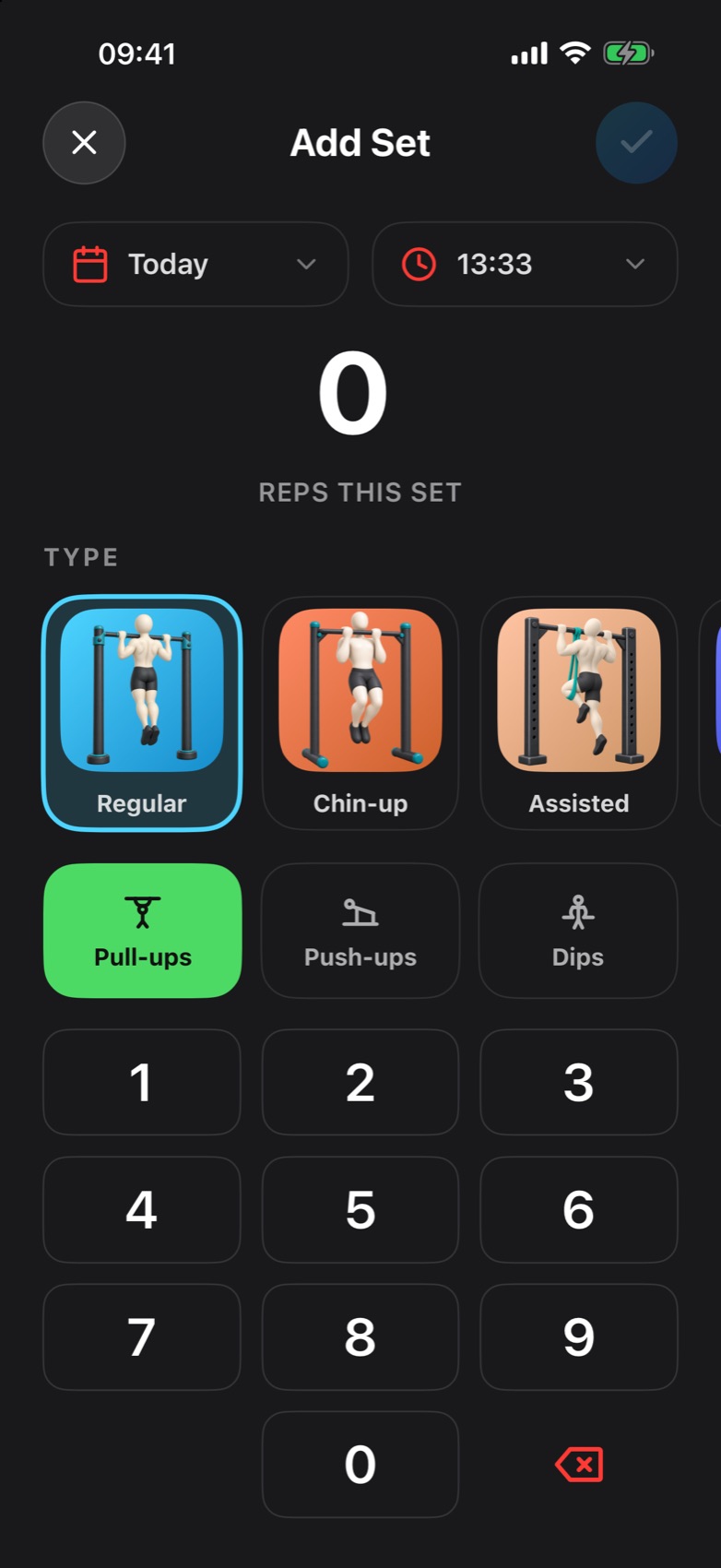
Type the reps. Tap Save.

A keypad that’s always open, starting on the exercise you trained last. Nothing is saved until you tap Save.

Try it: type reps on the phone, tap ✓.

Added weight

Weighted pull-up? Type the plate too.

The four weighted variations switch to REPS · ADDED WEIGHT, in kilograms or pounds, up to 300 kg.

Holds

Planks count in seconds.

Holds read 1 min 30 s, never 1:30. The timer counts from the clock, so it’s still right if your phone locks mid-plank.

Arrival

Your reps don’t just save. They fly in.

The number bursts into shards, hits the day’s total and rolls it up. The new row slams into the list.

Within reach

Then the island tells you what’s close.

Up to four goals your set just moved: today’s goal, a daily, weekly or monthly badge, an all-time milestone. It only speaks up when they’re close.

On iPhones with the Dynamic Island. Other iPhones get a card under the status bar.

Insights

Now and then, one true fact.

After a quiet set, a line from your own log: Best pull-up week yet. Biggest set in 3 weeks. Twenty-five rules, no AI, rare on purpose.

The moves

Five movements.
79 ways to do them.

From knee push-ups to the full planche. Every variation has its own illustration and a one-line how-to.

Search speaks street workout. Try “горизонт” or “кольца”.

6 are timed holds. 4 take added weight. Assisted, negative, knee, incline, bench and supported-row variations count toward your goal and streak, not your records. Track one to five movements and change them any time.

Everywhere

Every set.
Everywhere.

The Dynamic Island, your wrist, your Home Screen and Siri, all logging into the same day.

Live Activity

Every set rolls the numbers.

Your day lives in the Dynamic Island and on the Lock Screen. Each set pops a +N in its colour, and only that bar grows. After 15 quiet minutes, it rests.

9:41

iOS 16.2 or later.

Apple Watch

Log from your wrist.

Pick the move with the Digital Crown, step the reps, add weight or time a hold. Sets save on the watch and sync with your iPhone.

Included with the iPhone app. watchOS 10 or later.

Siri

Say it. It’s logged.

Siri logs counted sets and holds without opening the app, then tells you where the day stands.

Hey Siri, log eight pull-ups in Skiplegs

Logged 8 pull-ups in Skiplegs. That’s 20 pull-ups today.

English phrases. Weighted sets need the app.

Widgets

One tap to the keypad.

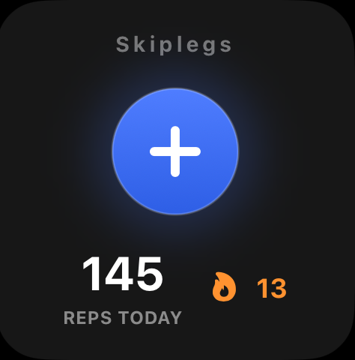
A Home Screen widget with today’s reps and your streak, and a Lock Screen button. Both open straight on Add Set.

Skiplegs Home Screen widget: a plus button, 145 reps today and a 13-day streak

Celebrate the work

Celebrate the work.
Never the taps.

A ring that clicks shut, a record that counts every rep, and a little film at set 3, 5, 7 … 50. Each has its own sound, off until you turn it on.

The ring closes. The phone clicks shut.

Seven accelerating clicks wind up as the ring refills, then a bright chord. Only on the set that crosses your goal.

0%

Goal complete78 of 78 total reps

Personal record

A record counts every rep.

0

+1 · beat your best of 12

Set 3, 5, 7 … 50. A new film each time.

28 animated scenes from a shuffle bag, so you see every one before any repeats. The deeper the set, the deeper it rings.

Set 3

Chime

Bell

Heavy bell

Gong

Free covers 15 sets a day. Milestones past 15 come with Pro.

Act II · Every day after

The flame is lit by today’s first set.
Not by yesterday.

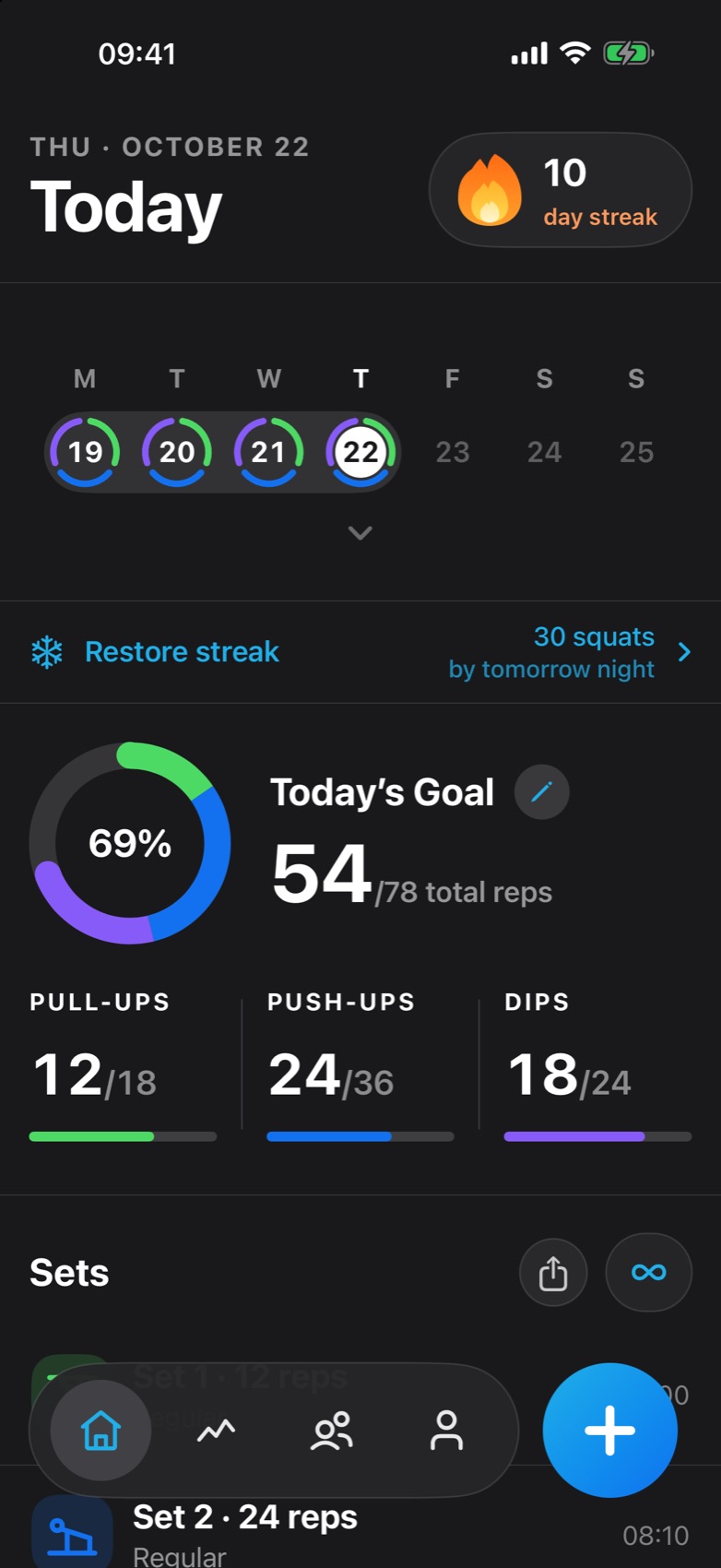
Any set counts, a plank included. The calendar shows what you trained. The grey band shows how long the fire has burned.

10

day streak

Log a set to light it.

Pull-upsPush-upsDipsSquatsCore

0 day streak · Sample data

Streak recovery

Missed a day? Pay for it in squats.

Your fire is frozen.Back on fire.

  • 30 squats per missed day, up to three days.
  • Squat first, then tap or hold the ice. Holding adds three a second.
  • The squats are saved as a real Squats set for today, so they count everywhere.

On this page the squats are on the honour system.

0 / 30 squats

Tap or hold the ice · +1 squat

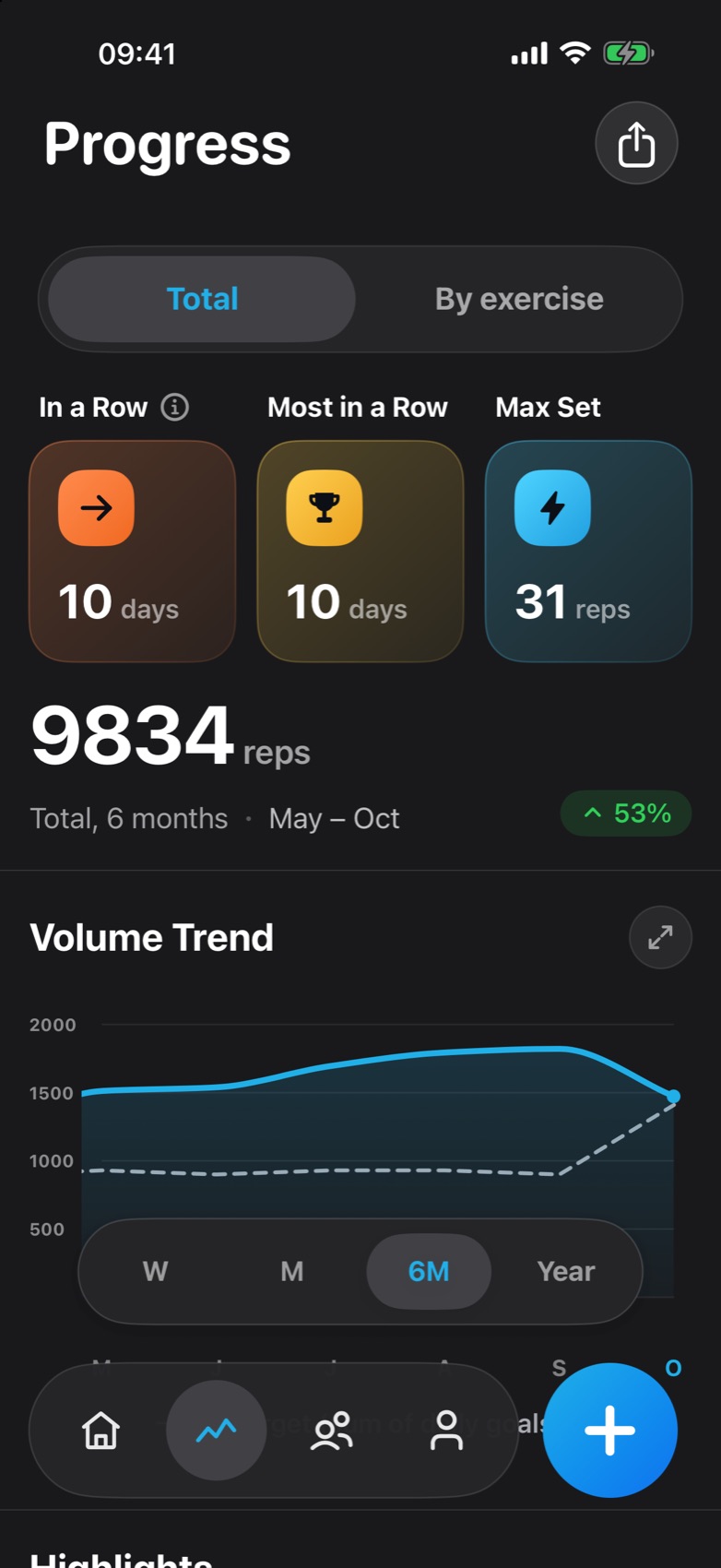
Progress

See your habit take shape.

Week, month, six months or a year. Drag the chart into the past and the whole page comes with it.

  • W · M · 6M · Year

    A floating period pill. Everything together, by exercise, or one variation.

  • Compared fairly.

    The trend sets this week up to Wednesday noon against last week up to Wednesday noon. Green up, red down, grey for no change.

  • Records count your whole history.

    In a Row, Most in a Row and Max Set never shrink when you switch to a shorter window.

  • Planks count in time.

    A minute of plank is a minute, not sixty reps: 12 min 30 s held.

ProThis week, month or year is always free. Older ones show when you trained. Pro shows how much.

Hall of fame

466 badges.
Every one a 3D enamel medal.

Gold cloisonné over coloured enamel, with your number struck in metal. Weekly and monthly ones come back, and the app counts them: ×4.

New achievement

2.5K Total · Pull-ups

Earned · +150 XP

Drag to spin · the back is engraved too

Earned again

×1

Fourth time you’ve earned this badge.

Weekly badges come round every Monday, monthly ones on the 1st. Every repeat gets the full celebration.

  • 79variations
  • 466badges
  • 28milestone scenes
  • 25insight rules
  • 0ads

Friends

Trained today?
Your face catches fire.

See who trained today and whose streak is on the line. Log a set and your avatar burns for 24 hours.

Trained today

  • M
    Mara

    4 sets · 86 reps · best 25

    32
  • T
    Theo

    3 sets · 60 reps · best 24

    9
  • I
    Ines their Tuesday

    2 sets · 40 reps · best 20

    5

Haven’t yet trained today

  • K
    Kofi

    Last trained yesterday

    21
  • J
    June

    Hasn’t logged a set yet

Rows update while you’re on the tab.

Fictional friends. The rows and their wording are the app’s.

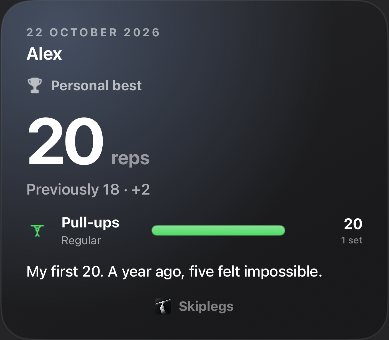
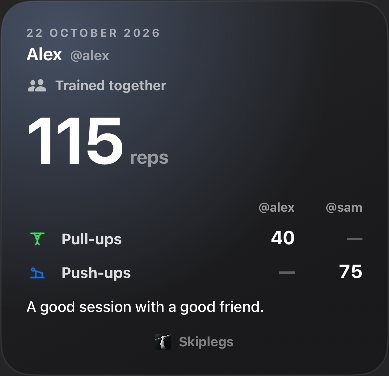
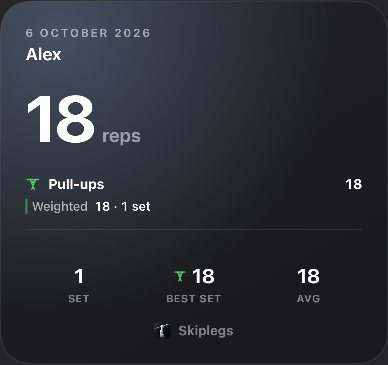
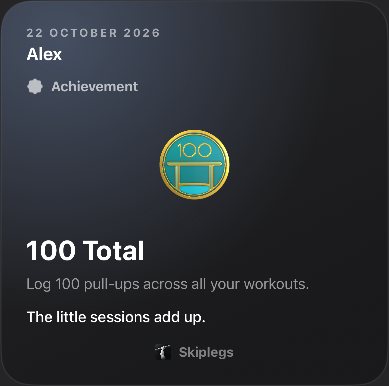
Story card: Alex, personal best, 20 pull-ups, previously 18. My first 20. A year ago, five felt impossible. Story card: trained together, 115 reps between Alex and Sam Story card: Alex's day, 18 weighted pull-ups in 1 set Story card: Alex earned the 100 Total pull-ups badge
Their Tuesday.

A friend in Tokyo shows their own day, not yours.

Swipe to compare.

Swipe from their profile to yours. Records, totals and charts line up.

One heart. No comment section.

Stories get a heart. Only the author sees who viewed.

Friends need a free account. Public profiles show figures, never the sets themselves. No push notifications about friends.

The details

The small print.
In big type.

The details that make a log you keep for years.

  • Works with no signal.

    Your log lives on your iPhone. Sign in and a copy is kept in your account too.

  • No account needed.

    Start training straight away. Sign in with Apple, Google or an emailed code when you want friends and sync.

  • Apple Health, only if you say so.

    Workouts go to Health once you turn it on. Skiplegs reads nothing. Needs an account.

  • A daily cloud snapshot, plus a file you keep.

    Signed in, one backup a day. Or save a copy yourself, any time.

  • Numbers the way you’d say them.

    1 min 30 s, never 1:30. 19 998, then 19.9k, rounded down, never up.

  • A goal for every exercise.

    One ring for the day, built from a target per exercise. Change it and past days stay as they were.

  • Log a set in the past.

    Date and time pills on the keypad. Swipe any set to edit or delete it.

  • Kind reminders.

    One a day at most, at your hour, and never once you’ve trained. Off until you turn them on.

  • Every celebration has a calm version.

    Reduce Motion, Dim Flashing Lights and VoiceOver are respected. Sounds and haptics have their own switches.

  • Tested against 500,000 sets.

    A twelve-year stress log in testing. Still smooth.

  • No ads. No tracking across apps.

    Crash reports and usage analytics, without your name or email.

  • Delete your account in the app.

    From the Account screen, in a few taps.

Free and Pro

Free means free.
Pro adds three things.

Up to 15 sets a day on iPhone, Apple Watch and with Siri, plus Live Activities, widgets, badges, streaks and friends.

Included free

  • Up to 15 sets a day
  • Live Activities and the Dynamic Island
  • Home Screen and Lock Screen widgets
  • Siri
  • Apple Watch
  • All 466 badges
  • Streaks and streak recovery
  • Friends and stories
  • This week, month and year in Progress

Training card

Keep on the bar

  • Unlimited sets

    Every set. No limits.

  • Your whole history

    Your whole journey.

  • Full-screen charts

    Pinch, pan and tap any day for its exact numbers.

Unlocked with Pro

Prices at launch. No timers, no fake discounts, no made-up reviews.

Your next set
starts here.

Skiplegs for iPhone and Apple Watch. Coming soon to the App Store.

One set lights the day. Try one ↑

Coming soon to the App Store

Write to us